Release Notes & Updates
CERA AI
Feature Releases
What you asked for is now live
We build our roadmap together with you. See what has already been implemented here.
October 14, 2026On-demand translation and confirming phone commitments
Carrier messages can now be translated at the push of a button, you confirm phone commitments with one click, and you merge stops by dragging.
- Translation at the push of a button: Carrier messages, every suggested reply, the draft in the reply box and sent messages can be translated into your language with one click, with “Translated from Polish” and “Show original”. The carrier always receives the original text. If you edit a translated draft, CERA AI marks the translation as outdated. Available on request.
- Confirm phone commitments: If a carrier confirms by phone or WhatsApp, click “Confirm”. Reminders and expiry timers stop as if they had confirmed by email, and the conversation shows “Confirmed manually by …” with your name.
- Take over unassigned replies: Unassigned replies can be claimed, released or taken over from colleagues, just like orders. The tab shows who owns each reply, and with simultaneous access you see who was faster.
- Merge and move stops by dragging: Drag one stop onto another to merge them. CERA AI first shows the rule and the cargo total, and warns if the same goods would be counted twice. When moving, a placeholder shows where the stop will land, and if the time no longer fits its new neighbours, CERA AI asks for the new time. A refused move gives the reason.
- Warning for round trips: If cargo without an unloading point rides back to the first loading point, CERA AI shows a warning before you submit. The order is never blocked.
- Match replies from the freight exchange automatically: CERA AI writes the transport ID into the goods field of the offer. The carrier’s reply from the freight exchange messenger therefore lands directly on the right transport. Your loading metres are now carried along, and Joloda alone can be posted. Available on request.
- Customer answers from Microsoft 365: If a customer answers a clarification request in its own Microsoft 365 order mailbox, CERA AI reads the answer automatically and fills the order. Until now this only happened on mailbox import.
- Better suggested replies: To “Which price?”, CERA AI suggests an answer with your current target price. It can answer “Is the order still current?” and “No pallet exchange?”. After a price commitment, it never suggests a lower counteroffer again, recommends the carrier who committed and mentions a cheaper one only as an option. The summary of a sent PDF now describes its content.
- Small improvements in the conversation: “Back to details” in the conversation header leads back to the order. Input fields grow with the text. Undeliverable addresses appear directly in the order.
- More of the interface in German: Login, password reset, profile, stop fields and permanent notices appear in German, and decimal numbers switch with the language.
- Further improvements: Phone numbers are stored with correct spacing. The transport order names the accepted condition, such as “Vehicle: 12-tonner instead of articulated truck”, always in German. Restrictions such as “full truckloads only” get their own “Job type” group. For unassigned emails, CERA AI suggests matching transports, except for senders with free-mail addresses.
- Fixed: After a password reset, signing in was not possible straight away in the same browser.
- Fixed: When moving a stop, an unloading point could be lost.
- Fixed: Orders from Bulgaria, Cyprus, Estonia, Latvia, Lithuania and Malta lost their country.
- Fixed: A commitment at the transport order price was wrongly recognised as a changed condition.
- Fixed: With a disabled “Accept & Assign” button, the name of the carrier who had already confirmed was missing.
- Fixed: The spreadsheet preview of an upload was unreadable, and a TXT table counted the pallets of the next stop.
- Fixed: “View source” highlighted only part of a date and time when the email gave both in two places.
- Fixed: Fields left empty by the extraction carried an AI label.
- Fixed: Notices on screen did not switch with the language, and decimal fields were not reformatted when switching between German and English.
- Fixed: The pause date could be selected even though “Until further notice” was active.
- Fixed: The drafted answer to a question was missing on older messages.
- Fixed: The name of the AI model appeared on cards instead of only under “See reasoning”.
- Fixed: Starting without a mailbox created an order nobody could open. Now a clear message appears.
- Fixed: If the start on the freight exchange fails, the order shows a notice with the reason, and you can start again.
- Fixed: A failed pool follow-up could not be sent again.
- Fixed: Two stops with the same time window could not be merged after an entry via the time picker.
October 8, 2026Carrier replies as suggestions and a Clarifications view
CERA AI turns carrier replies such as “Please remove me from your list” into one-click suggestions, shows the whole clarification conversation with your customer and lets you attach files directly.
- Carrier replies become suggestions: CERA AI recognises replies such as “Please take me off the list”, “Please write to my colleague”, “Away until 20.10.”, “Fully booked until the end of the month” or “DACH only” and proposes the matching change to the carrier list, with the old and new value side by side. Only the person is blocked, not the company. Anyone who is away comes back automatically on the return date. Nothing changes without your confirmation. CERA AI marks an undeliverable address itself, and the result appears on the relevant contact.
- Clarifications view: One click on the order shows the whole conversation with your customer: what was asked, what came back, which fields were filled from it and what is still missing, with a box to ask again. Every filled field can be reset with one click, and a status chip shows the real state.
- Original email and documents at a glance: The envelope icon on each message opens the carrier’s real email and all documents in the conversation, with no detour via Outlook. If a carrier sends a corrected version, CERA AI shows only the current one. Applies to messages from this release on.
- Send files directly: Attach PDF, images, Excel or Word files to your reply straight from CERA AI. The assistants know which file was sent.
- Ask for missing company details: If the company name, address or VAT ID is missing for the transport order, CERA AI offers a ready-made request email and reads the answer. After your review, you transfer it with one click into the order and the carrier master data. Without complete company details, no transport order can be created.
- Confirmations with conditions are recognised: If a carrier confirms only under a condition, you see the change next to what was ordered and decide whether to adjust the order or insist on the original terms. Invalid entries now give the real reason, and changes made by colleagues show who and when.
- Unassigned emails with a label: Every email in the “Unassigned” tab is labelled as offer, question, rejection or out of office, and route, dates, vehicle and price are extracted, including from attached PDFs.
- Signatures in all carrier emails: Emails in the middle of a conversation now carry a signature too, and your own messages carry your name. Our team handles the setup.
- New transport order PDF: Tours with several stops are printed correctly, a stop with unloading and loading at the same address appears once, and the weight line shows the heaviest point of the tour. Every customer can get its own checklist for carriers. Our team handles the setup.
- Tour stops: On an unloading stop, you choose the matching loading point directly. Every field you changed from the value CERA AI extracted offers “Revert edit”.
- Joloda as a vehicle feature: Joloda can be selected as a vehicle feature and appears in the request email, the transport order and the details copied for the freight exchange. CERA AI selects it itself when the order mentions it.
- Total weight adds itself up: If all cargo items have a weight, CERA AI enters the total. A total stated in the order or entered by you always applies.
- Fixed: Replies sometimes took up to 15 minutes to arrive. Now usually about a minute.
- Fixed: Attachments were lost on some carrier replies.
- Fixed: “Block & review reply” sent the reply without your approval, and so did forwarding to a stand-in. Now the text loads into the reply box first.
- Fixed: When forwarding and re-sending to a corrected address, the text appeared as HTML code, and it only worked after an offer.
- Fixed: The loading reference was missing in the transport order for stops with unloading and loading at the same address.
- Fixed: An email that already ended with “Kind regards” got a second closing from the signature.
- Fixed: Clarification requests to the customer asked for a whole group of dimensions instead of the one missing.
- Fixed: A clarification request sent by hand from your mail program was not matched when the answer came in.
- Fixed: When sending the transport order failed, price and tax details stayed on the conversation.
- Fixed: Notices such as the reminder for silent carriers only appeared after reloading the page.
- Fixed: A damaged carrier PDF showed an English browser message.
- Fixed: The “Unassigned” tab was loaded even if you never opened it. The page now opens faster.
- Fixed: In “Import from inbox”, the preview was narrow and cut off.
- Fixed: The target price always gave the same reason for being locked, even when a carrier was already assigned.
- Fixed: The “Order changed in the background” window had a close button with no effect.
September 18, 2026Customer answers filled in automatically and reminders for silent carriers
CERA AI now enters customer answers to clarification requests into the order itself, reminds silent carriers from your pool on request and shows straight away which messages are new.
- Customer answers entered automatically: If something is missing in an order, such as a postal code, weight or vehicle type, CERA AI asks the customer and now enters the answer itself, for example “4.2 t each” on four pallets as 16,800 kg. It does not overwrite values you changed by hand. A Microsoft 365 mailbox is required.
- Follow up with silent carriers: CERA AI remembers who received your pool broadcast. After a waiting period you set, it offers to remind exactly those carriers who have not replied, with the list, the count and your own reminder text. You confirm beforehand. Available on request.
- See at once what is new: A number on the order, a dot on the conversation and a “NEW” line above the first unread message show where new messages are. Read is personal: colleagues on the same mailbox do not clear your marker.
- Sort tour stops yourself: Drag stops into the right place with the mouse or the keyboard. The order is kept after reloading. If it makes no sense, for example because cargo would be unloaded before it is loaded, CERA AI says so and does not let the order go out.
- Time windows move together: Change “Arrival from” and “Arrival to” moves with it. Identical start and end times tick the fixed appointment box.
- Fewer mandatory fields: When loading metres are stated in the order, length, width and height are no longer mandatory, and the clarification request to the customer does not ask for them. Number fields accept comma and full stop, so 13,6 and 13.6 are the same.
- Loading metres fill in by themselves: For full truckloads, CERA AI enters the loading metres from the selected vehicle. It never overwrites your own entries.
- Notice for mismatched loading metres: CERA AI warns when the loading metres do not match the vehicle, for example 15 loading metres on a 13.6-metre articulated truck. The notice never blocks.
- Phone numbers in the carrier import: The import template has columns for phone number and notes per contact. You see the notes in the carrier list.
- One notice per card: A carrier card shows at most one timing signal, the most important one.
- Sender instead of “Unknown carrier”: For offers from an unknown address, the card shows the email address and the hint “Not a recipient”. Once the address is saved, the company name appears.
- Fixed: Loads under 100 kg were displayed as “0.0” tonnes. Small weights are now shown in kilograms.
- Fixed: The activity log was missing in the list view.
- Fixed: Carrier replies were cut off at an “on” in the middle of a word.
- Fixed: When an assignment expired, the carrier received no message. Now they receive a short email saying not to start the transport.
- Fixed: A carrier who did not win kept showing “Follow-up due” instead of “Rejection due”.
- Fixed: A condition agreed with one carrier also appeared in the transport order of other carriers.
- Fixed: The dialog for deleting an inquiry always claimed that an open tender would keep running.
September 10, 2026Suggested answers to carrier questions and offers from PDF attachments
CERA AI now recognises questions from carriers and suggests suitable answers, reads offers from PDF attachments and accepts several order files at once.
- Suggested answers to questions: CERA AI recognises questions such as “Can I still load after 4pm?”, reads the confirmed order data and puts an answer as a draft under the email. There are at most two options: the answer or a holding reply. If an email contains both a price and a question, they become one combined reply. You review and send.
- Requirements at a glance: CERA AI keeps track of which special requirements the order needs (tail lift, cooling, dangerous goods) and which the carrier has confirmed, denied or ignored, and shows them in the conversation header.
- Offers from PDF attachments: If the price, stops or vehicle appear only in the attachment, CERA AI reads them and carries them into the negotiation. It also recognises the same file under a different name, and does not mistake the transport order a carrier sends back for a new offer. PDFs with text content are supported.
- Upload several files at once: Each file shows its own status and progress, and a summary such as “4 uploaded, 1 failed” appears at the end. One faulty file does not stop the others.
- Clear upload rules: The limit is 25 MB per file and is checked as soon as you select the file. A hint shows which file types CERA AI can read and which it only stores.
- Reminder for order confirmation: A new “Unconfirmed” status shows open confirmations, and “Chase confirmation” announces the reminder. A dedicated reminder text helps you follow up. Available on request.
- Multi-stop tours in the right order: Loading and unloading points are read as one ordered stop list, even if the email mentions them in a different order. Tours with 4 to 30 stops kept the correct order in testing.
- A clear check list before submitting: The same problem across several stops appears only once, and every affected stop is clickable. Tabs for “Blocking”, “To review” and “Optimisation” show the number of distinct problems.
- Check cargo data like any other field: For pallets, dimensions, weights and quantities too, an AI marker shows the source in the email and the confidence.
- Freight exchange time window explained: The freight exchange only lists transports loading within the next 30 days. If a tour is further out, CERA AI gives the reason and the day from which posting is possible. The email outreach continues regardless.
- Notice for a new version: When a new version goes live, CERA AI offers “Reload”. Entries in progress are not lost.
- Tidier cards: The “Due soon” notice and the repeated stage in filtered lists are gone.
- More stable during updates and imports: Open browser tabs reconnect on their own after an update. Assigning a message and starting a mailbox import respond immediately and report progress.
- Fixed: Delivery times could be before the matching pickup time. Orders like that used to go out to carriers.
- Fixed: The negotiation assistant commented on emails without a price and covered the drafted answer.
- Fixed: With very long tours, stops were lost during extraction, and an order with 30 stops was reduced to two.
- Fixed: After an automatic repair, the warning showed only “Stop count not verifiable” instead of “expected 15, read 16”.
- Fixed: An open order showed the old, incomplete stop list during a repair and could save it back.
- Fixed: The route named all pickups of the tour for a delivery instead of the matching ones.
- Fixed: Title and card named the first destination of a tour instead of its end point.
- Fixed: English city names such as Munich, Cologne, Nuremberg or Vienna were not recognised as valid addresses. Business names alone are rejected as an address.
- Fixed: When the street was missing, the message suggested a house number or postal code.
- Fixed: After a session expired, notices containing business data stayed visible on the login page.
- Fixed: Signatures can hold a second phone number, and the company name no longer appears twice in the text version.
September 3, 2026Long stop lists and offers in driving order
CERA AI now reads even very long stop lists completely, describes vehicles in the freight exchange’s own terms and clearly flags price increases from carriers.
- Long stop lists read completely and checked: CERA AI reads orders with 20 or 30 stops in small batches and counts the stops as it goes. If the numbers do not add up, a notice appears, for example “expected 15+15, read 4+0”, and CERA AI re-reads the email carefully in the background. The notice never blocks submitting.
- Dimensions with units: CERA AI converts entries like “600 mm” or “48 in” to centimetres itself instead of guessing. If the unit is missing, the field stays empty and is flagged as missing.
- Unloading point per cargo line: With several unloading points, CERA AI records for each cargo line where it is unloaded. The vehicle is chosen for the heaviest leg. If the point is unclear, you choose it yourself.
- Tours in driving order: The route and the freight exchange offer show the stops the way the truck drives them. With several loading points, all of them go to the freight exchange with their own date, time window, postal code and country, not just the first.
- Vehicle details in freight exchange terms: Jumbo, mega trailer, low loader, curtain van, sliding roof, flatbed, open, silo and tank go out in the freight exchange’s own terms, so suitable carriers find your offer through filters. If a body type is missing entirely, CERA AI tells you beforehand.
- Post to the freight exchange later: First to your own pool, then with one click to the freight exchange if too few carriers reply, under the same reference. In the “Start Outreach” window you see straight away whether the connection is active. With your own freight exchange access.
- Price increases are flagged: If a carrier raises the price after agreeing, the agreed price stays and a notice shows the new demand. Before assigning, a banner points out that you are assigning at the agreed price. Company, address, VAT ID and price can be corrected directly in the “Check data” step.
- Shared mailbox, clear ownership: Teams with one mailbox and individual accounts see from the avatar who owns an order and can take it over or hand it off. In the carrier chat, every message shows whether a dispatcher or CERA AI sent it. Our team handles the setup.
- Assignment email as plain text: If you wish, the price request goes out as a simple text email with the signature at the bottom instead of a designed HTML email. Available on request.
- Your own company emails are not offers: If you reply from Outlook with an address from your own company, CERA AI no longer creates a phantom offer card.
- Country check on addresses: If the address found is in a different country than stated, CERA AI names both countries and asks you to correct the address or pick a suggestion.
- Error messages in German: Around 24 messages when submitting an order now appear in German.
- Fixed: The confidence hints on stop fields were missing.
- Fixed: An address typed by hand without choosing a suggestion produced a confusing error message. Now the field marks the error and the notice leads to the right stop.
- Fixed: With XML orders, the pickup street and country were lost, and the recipient country was set to Germany.
- Fixed: Loading metres written as “ca 8,3 ldm” were not recognised.
- Fixed: Assigning a reply from the freight exchange sometimes took minutes.
- Fixed: Replies from carriers were rejected by some mail providers.
- Fixed: An out-of-office reply pointing to another contact was filed as “Engaged” instead of “Lost”.
- Fixed: After assignment, carriers who did not win still showed “Follow-up due” and could still be chased.
- Fixed: Our own outgoing follow-up and rejection emails were cut off in the view.
- Fixed: The assignment page froze when many replies arrived at once.
August 28, 2026Send to the freight exchange only and mailboxes outside Microsoft 365
Orders can now be posted to the freight exchange alone and re-posted with one click. You can also connect mailboxes separately and outside Microsoft 365.
- Send to the freight exchange only: When starting the outreach, untick the carrier list and post the order to the freight exchange alone, with no placeholder address. Starting with nothing selected stays blocked. With your own freight exchange access.
- Re-post an offer on the freight exchange: If nobody answers, “Re-post” in the outreach header brings the offer back to the top with one click. Same order, same short ID, no duplicate. The view shows separately when it was last updated and last re-posted.
- Separate mailboxes: Order intake and clarification requests run through one mailbox, carrier communication through a second one. That keeps the ticket system of your order intake clean. Our team handles the setup.
- Mailboxes outside Microsoft 365: Mailboxes from other providers can now be connected via IMAP and SMTP, for order intake and carrier communication. Our team handles the setup.
- Your logo in CERA emails: Emails CERA AI sends on your behalf carry your company logo at the top. Our team handles the setup.
- Fixed: Loading metres from XML orders ended up only in the notes instead of the loading metres field, so they were missing in the offer, request email, order details and transport order.
- Fixed: Long stop lists in attachments were cut off, and an order with 30 stops lost its end.
- Fixed: Clarification emails listed missing details twice.
- Fixed: With several stops, the clarification email did not name each loading point separately.
- Fixed: Address autocomplete in the order form did not work.
- Fixed: The “Stop starts too early” warning stayed on screen even after you corrected the times.
- Fixed: Warnings about missing dimensions now say clearly what is missing, for example “Cargo height missing”.
- Fixed: Automatic reminders created a second conversation for the same carrier.
August 24, 2026Multi-stop tours and automatic follow-ups
Tours with several loading and unloading points now run through CERA AI as a single order. Automatic follow-ups, emails in your own design and more speed for large mailboxes come with it.
- Multi-stop tours as one order: Enter tours with several loading and unloading points as one order, check them in the route timeline and send them out. Every loading point is carried through to the carrier email, the PDF and the freight exchange details. The vehicle is chosen for the heaviest load during the tour, and customs is checked for every loading country.
- Feedback on AI suggestions: Rate a suggestion with a thumbs up or down. Your feedback goes to our team automatically, with context.
- Exactly the right recipients: When sending, you see every contact individually and can deselect individuals instead of whole companies. The counts follow your selection.
- Automatic follow-ups and rejections: If you wish, CERA AI sends reminders and rejections itself, with your own texts. Both functions can be switched on separately, and prompts now appear after five minutes at most instead of up to fifteen. Available on request.
- Emails in your design: Clarification requests and carrier emails go out with your logo, footer and signature.
- More order details: Jumbo, low loader, open body, loading metres, dangerous goods and total weight, as well as the timing per stop (fixed appointment, time window or as soon as possible), are recognised and carried over.
- Negotiation following your rules: Your price bands and offer thresholds now genuinely steer the negotiation assistant. It also recognises a price increase implied by stored offers and holds firm.
- Faster with large mailboxes: Input and Outreach load much faster, counters are correct at any size, lists are paged instead of limited to the newest 200, and a loading state replaces “nothing to do” while data arrives.
- Fixed: Pickup and delivery times were shifted by two hours in emails and offers.
- Fixed: After signing in, you sometimes got stuck on the login page.
- Fixed: Carriers who had already confirmed were still chased.
- Fixed: Creating a new carrier failed.
- Fixed: Contact details in a carrier reply were wrongly recognised as a signature and the reply was cut off.
- Fixed: “Accept price” from the reply suggestions now starts “Accept & Assign” directly.
- Fixed: Conversation cards cut off the carrier name when a price had been lowered.
- Fixed: The request email and freight exchange details showed only the calculated minimum vehicle instead of the selected one.
- Fixed: A tour with a single pickup occasionally listed the delivery again as a second loading point.
- Fixed: Loading metres, low loader and open body were missing in the carrier email and the transport order.
- Fixed: On multi-stop tours, cargo was counted twice and lost its unloading point when edited.
- Fixed: The “Route” tab stayed blank when a merged loading point was opened.
- Fixed: After an automatic follow-up, the old “due” label stayed and invited a duplicate email.
- Fixed: Clarification emails arrived as designed HTML instead of plain text.
- Fixed: A dismissed notification reappeared after reloading.
August 10, 2026Replies from the freight exchange arrive in CERA AI automatically
Replies from the freight exchange messenger now land on the right transport automatically. CERA AI collects unclear cases in the new “Unassigned” tab.
- Freight exchange replies arrive in CERA AI: Replies from carriers in the freight exchange messenger land on the right transport automatically. We do not access your freight exchange account. You need a Microsoft 365 mailbox and your own freight exchange access. Available on request.
- Match, read, show: Once a chat is matched, every further message lands on the right transport automatically. CERA AI reads route, date, vehicle type, equipment and above all the price offered from the free text, even for phrases like “tomorrow morning”, in German and English. The offer appears in the offer comparison like any other reply.
- New “Unassigned” tab: When it is not clear which transport a reply belongs to, CERA AI does not guess. You see the original message, the extracted details with a confidence hint and the likely transports with reasons. Both lists are searchable, late replies can be assigned to an already closed transport, and arrow keys and Enter let you work through the list quickly.
- Reasoning in your language: If a carrier writes in Italian or Polish, CERA AI still explains its assessment in your language. The reply to the carrier stays in the carrier’s language.
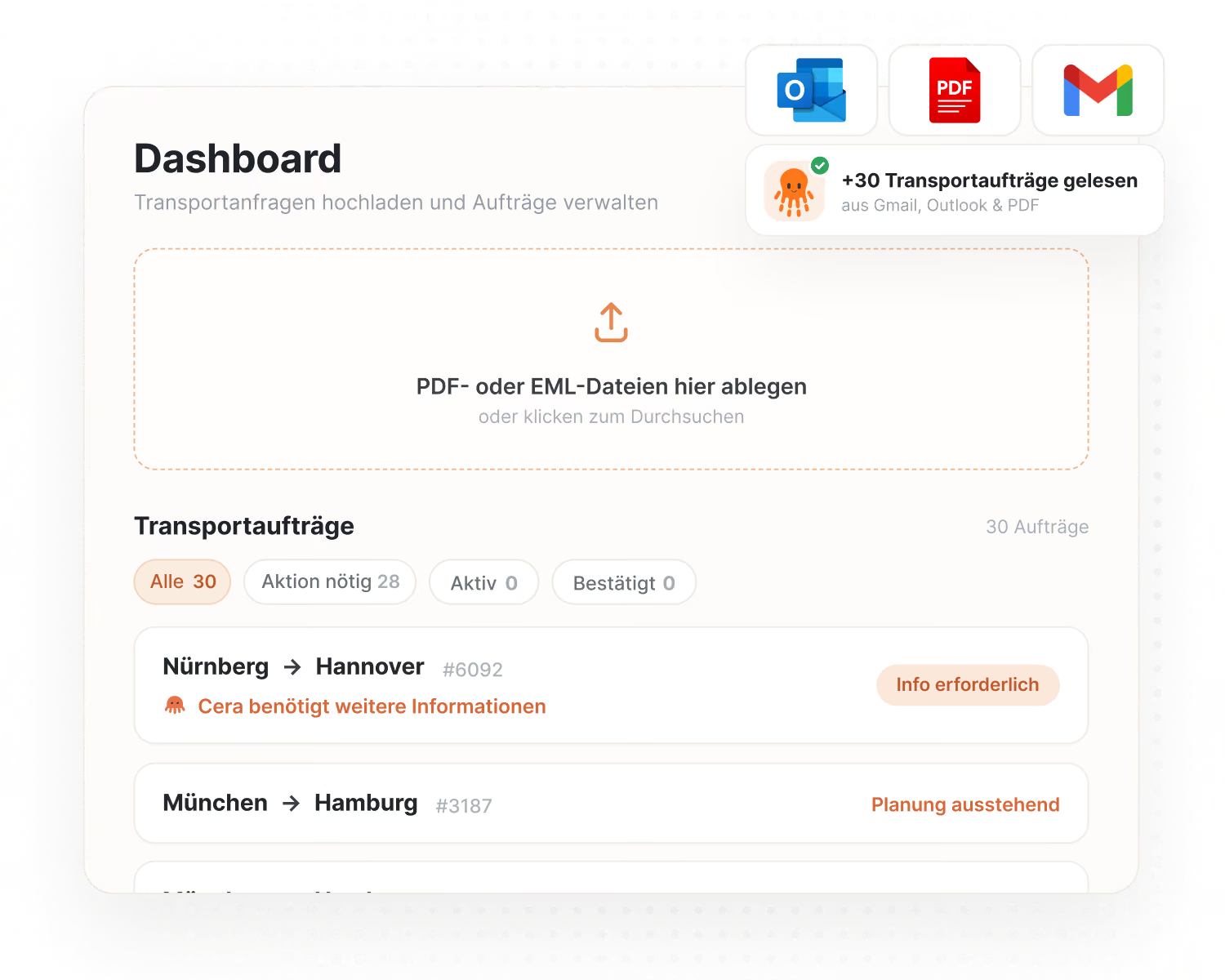
- Bulk import for many emails: Larger numbers of emails can be imported at once. Finished orders can be edited, marked as “not an order” or retried straight away while the rest is still running.
- Offer card opens the conversation: One click on an offer card opens the matching conversation and highlights the offer.
- Monitoring paragraph can be removed: The standard paragraph on position updates, tracking and CMR photo in the transport order can be removed on request. Available on request.
- Fixed: Carrier replies that CERA AI had stored but never shown now always end up on the transport or in the “Unassigned” tab.
- Fixed: When about 20 emails were imported at once, almost all of them failed.
- Fixed: A password-protected PDF attachment blocked the whole email. The order in the text is read, the attachment is flagged with a reason.
- Fixed: The upload wizard rejected files because of their file extension, and unreadable files showed internal error texts.
- Fixed: An unreadable attachment, such as a photo, is now visibly flagged on emails too.
- Fixed: Invisible control characters in attachments blocked the import from the mailbox.
- Fixed: Line breaks in carrier messages were lost.
- Fixed: The English interface showed “Uhr” and German vehicle classes such as “7,5 Tonner”.
- Fixed: Despite the “hide” setting, the target price appeared in the request email.
August 4, 2026Built-in order validation and attachments recognised by content
CERA AI now validates vehicle, route and time windows entirely on its own, reads every attachment on an email, makes deleted inquiries recoverable and renames around 45 terms more clearly.
- Built-in order validation: CERA AI now works out for itself which vehicle fits, how long the route is, how much driving time each leg takes and whether the time windows are feasible. You see problems while filling in the order, not as a late rejection after submitting. CERA AI still does not calculate prices.
- Attachments recognised by content: CERA AI reads all attachments on an email, not just the first, and Word documents for the first time. If an attachment cannot be read, the email is still imported and the attachment is flagged with a reason.
- Follow-ups and rejections at a glance: If a carrier goes quiet in the middle of a negotiation, CERA AI puts a ready-made follow-up in front of you. It suggests carriers that did not win for a rejection once the winner has confirmed the assignment. You decide what goes out. Available on request.
- Duplicate inquiries: If a shipment needs two vehicles, duplicate the inquiry with one click, including cargo, shipment data and its own copy of the file.
- Restore deleted inquiries: Deleted inquiries stay in the “Deleted” tab for 30 days and can be fully restored. The tabs are now called “Incoming”, “Outreach started” and “Deleted”, with counters, search and a date filter.
- One status per inquiry: Each inquiry shows exactly one status in one place, in a consistent colour. Contradictory labels such as “information missing” and “waiting for reply” at the same time are gone.
- The title fills itself in: When you attach a document, CERA AI sets the title from the subject or file name. It never overwrites a title you typed yourself.
- The suggestion stays usable: When you change the target price, the previous suggestion stays readable and clickable, and the reply box and send button stay active until the new suggestion arrives.
- Clearer wording: Around 45 terms were adjusted to the way dispatchers talk, for example Engaged, Negotiating, Booked, Lost. The carrier area is now called Carrier Network, and the assistant is called CERA AI everywhere.
- Consistent notifications: All confirmations and warnings appear in the same style, stack neatly and can be swiped away.
- Fixed: Total cargo weight was counted twice in the carrier email and the transport order.
- Fixed: Non-stackable cargo was stacked when choosing the vehicle, so a vehicle that was too small was sometimes requested.
- Fixed: A field configured as optional could silently prevent submitting.
- Fixed: A clear English acceptance such as “I accept” was not always recognised.
- Fixed: A carrier who accepted after the assignment had expired could not be assigned again.
- Fixed: Deleted stops reappeared after reloading.
- Fixed: “Submit order” was also offered on inquiries that had already been sent and on deleted ones.
- Fixed: The AI explanation always appeared in German, whatever the language, and vehicle names stayed German in the English interface.
- Fixed: The one-click reply suggestions stopped appearing.
- Fixed: A message about a missing country code stayed on screen after filling it in and blocked the start.
- Fixed: Creating a new carrier failed, and several carriers of the same company could not be tagged together.
- Fixed: A single unusual character could prevent a readable transport order from being imported.
- Fixed: Several display errors in status labels, copies and deleted inquiries.
July 24, 2026Import emails from your inbox and negotiate with one click
Bring order emails straight from your mailbox into CERA AI, see carrier offers clearly sorted and negotiate with one click.
- Import emails straight from your inbox: Open your mailbox in CERA AI, pick the right emails and turn them into orders, with no saving and uploading. For Microsoft 365, available on request.
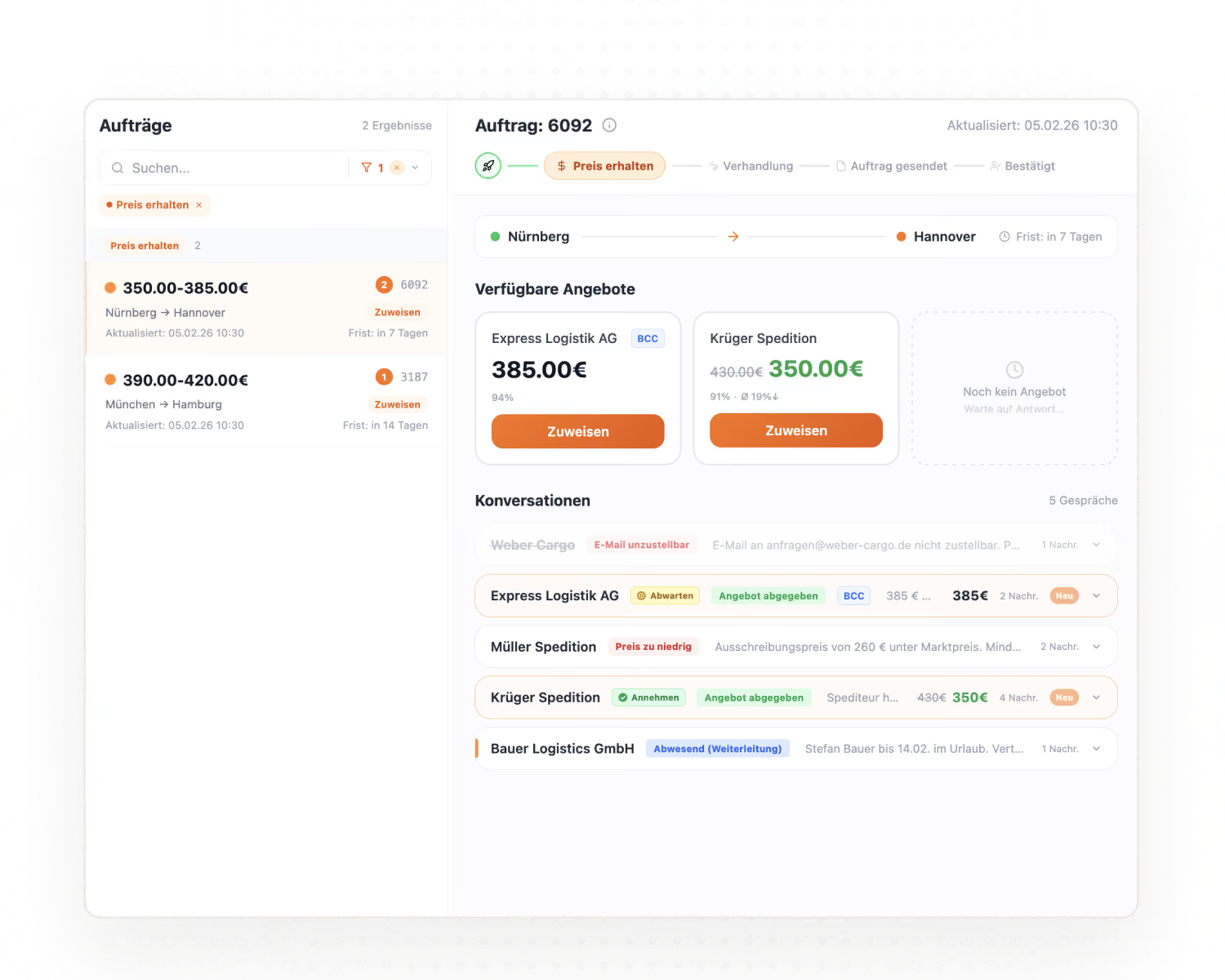
- A clearer offer view: Whatever needs your decision (awaiting confirmation, confirmed, withdrawn) is pinned at the top, and active offers follow, best price first. Declined, cancelled and withdrawn offers move to the back, each with its own card.
- Negotiate with one click: CERA AI offers replies to choose from. Click one, edit it and send it. Nothing is sent automatically.
- Change the target price later: Set or change the target price even after the first offers have arrived. The negotiation assistant picks it up immediately and updates its suggestions.
- A cue for outdated suggestions: When the situation changes, the conversation shows that a new suggestion is on its way, so you do not act on an outdated one.
- Assignments expire automatically: If a carrier does not confirm, the assignment expires after a configurable time and the load is released.
- Follow-ups and rejections with a draft: CERA AI spots silent carriers and offers that did not win, and puts a ready-made message in front of you. You confirm before anything goes out. Available on request.
- Guidance in your language: CERA AI’s reasoning and suggested next steps appear in your app language, even when the carrier writes in another language. The reply to the carrier stays in the carrier’s language.
- Large documents processed reliably: Multi-page tour sheets and scanned PDFs run in the background and no longer time out. If something goes wrong, there is a clear failed status and “Retry”.
- Add carriers from an Excel template: Add many carriers at once from a template (German or English), with duplicate checks and automatic geocoding from postal code and country. The upload currently runs through our team.
- More cargo and body types: Round objects (length, diameter, weight) as well as flatbed and top-loading body types can be captured in the order.
- Goods value on the order: Capture the goods value for insurance decisions, as a mandatory field if you wish. It appears in the order and in the transport order.
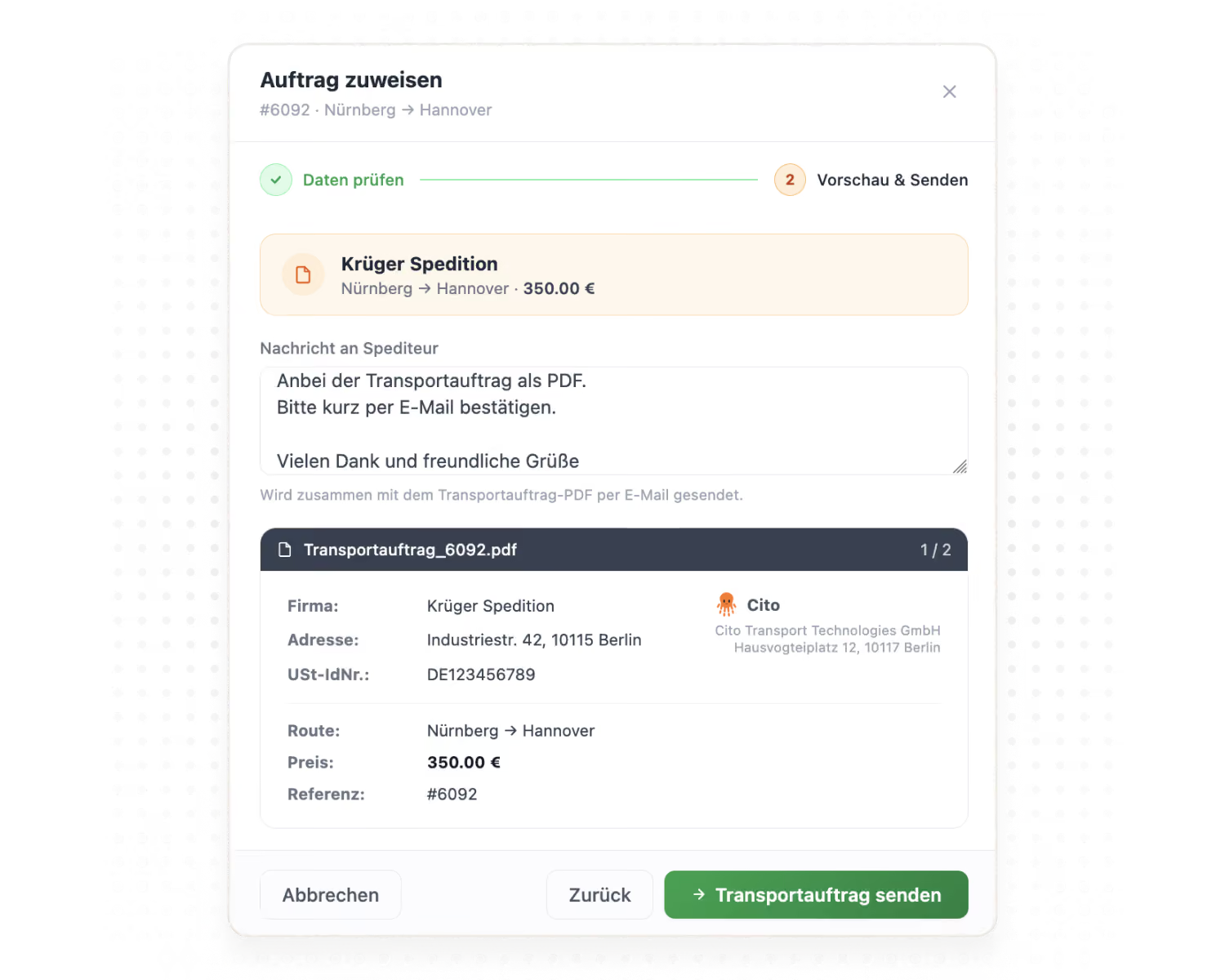
- Assignment email per customer: Choose whether the transport order PDF is attached and adjust the text of the assignment email. Available on request.
- Clarification window reworked: A larger editor, a status indicator after sending, and clarification requests you sent from your own mail program can be logged.
- Tags per contact: Tags can be assigned to individual dispatchers and carried across a company, not only at company level.
- Fixed: Withdrawn offers could still be assigned.
- Fixed: Round objects appeared in the email and the transport order as “custom-package” instead of “Round object”.
- Fixed: Large multi-page tour sheets were cut off or failed.
- Fixed: EPAL pallets were given a height of 15 cm when none was stated.
- Fixed: The PDF preview was missing in the assignment flow.
- Fixed: The error message when submitting several loads was cut off.
- Fixed: Coordinates from Google Maps could not be pasted directly, and latitude did not come before longitude.
- Fixed: The “Select view” and BCC list windows had unclear buttons, and the selection was applied too early.
- Fixed: The “Add carrier” form showed internal options such as “Blocked” and “Temporary”.
July 15, 2026View source and a clearer offer overview
You now see the exact passage in the original email for every extracted value. A clearer offer overview, an “Assigned” status and the tank and silo body types come with it.
- View source: Every field CERA AI extracts shows how confident it is in the value. “View source” highlights the exact passage in the original email it came from, so you can check and correct values at a glance.
- A clearer offer overview: The confirmed offer is marked and pinned first, and every card links straight to the conversation with the carrier. Cancelled and declined offers stay visible but greyed out.
- “Assigned” status: Assigned offers carry their own status in the offer list and the conversation and no longer sit under “Counteroffer accepted”.
- Silent carriers and deadlines at a glance: CERA AI regularly checks active shipments and points out carriers who are not replying, unconfirmed assignments and approaching deadlines. Nothing is sent automatically.
- Tank and silo body types: Tank and silo can be selected in the order and appear in the request email, the transport order and the details copied for the freight exchange.
- XML as an input format: Orders in XML format are now supported. Inquiries created manually carry a “Manual” label.
- Fixed: Orders with a manually entered pickup company could not be submitted.
- Fixed: If a carrier withdrew after confirming, the load was not released again.
- Fixed: Declined offers disappeared instead of staying visible as declined.
- Fixed: A negotiation suggestion reappeared as open after the counteroffer had been sent.
- Fixed: Offer cards were not sorted by current price.
- Fixed: The loading height of EPAL pallets could not be edited.
- Fixed: The “Select view” window cut off content on the right-hand side.
Feedback or feature request?
Tell us what you’re still missing in your day-to-day use of CERA AI.